by Braden Kelley and Art Inteligencia
Is the Bark Phone an Innovation? (Short Answer)
Yes — with important caveats. My definition of innovation is that it transforms useful seeds of invention into widely adopted solutions valued above every existing alternative. The Bark Phone and Bark Phone Pro are not radical new phones. They are Samsung devices. The innovative move is the product system around them: parental controls built into the device so kids cannot simply uninstall them, plans that start at talk-and-text only and unlock more freedom on the same handset, content monitoring with alerts, and configurable controls that now include AI chatbots and tools — not only social apps and browsers.
Innovation here is not a shinier camera. It is a first phone parents can actually configure to match a child’s readiness — including whether AI is allowed to do their thinking for them.
Below: what the latest versions are, where the real novelty sits, what that means for parents and for kids’ cognitive development, and how AI access fits the configurability story.
https://youtube.com/shorts/etPxTl_3RVE?si=DgROb1_4oEB6zIDj
What Are the Latest Bark Phone Versions?
As of Bark’s current lineup, families choose between two devices and two plan philosophies. The parental-control stack is the same on both phones; the hardware differs.
| Model | Base hardware (as marketed) | What changes for families |
|---|---|---|
| Bark Phone | Samsung Galaxy A16 class device — ~4GB RAM, 128GB storage, IP54 | Lower device price; same safety and monitoring model |
| Bark Phone Pro | Samsung Galaxy A37 class device — ~6GB RAM, faster charging, IP68, tougher glass | More durability and performance for active tweens/teens; same controls |
Plans matter more than the “Pro” badge for this Innovation or Not test:
- Starter — talk and text on Bark’s network, GPS, contact approval, monitoring, and tamper-proof controls, with no games, browsers, or social media. A smartphone that can behave like a dumb phone until you say otherwise.
- Advanced — apps, browsers, and social under parent rules: app approval or blocked Play Store, screen-time schedules and per-app limits, web and category blocking, remote pause, and the same monitoring layer.
You keep the same device when you upgrade or dial freedoms back. That “grow with the child on one handset” design is part of the value proposition — and part of why parents adopt it over bolting a removable monitoring app onto a full smartphone.
If the innovation claim were only “it’s a Samsung with a kids brand,” this would be branding. The claim that matters is system-level control that sticks.
Where Is the Innovation — and Where Is It Just a Better Phone?
Against the definition in What Is Innovation?, separate the seeds:
- Not the breakthrough invention: The handsets are familiar Android phones. Faster RAM, IP68, and tougher glass on the Pro are incremental product improvements, not a new category of device.
- The adopted value: Parents who want a real-looking phone without the “factory reset and I’m free” loophole of many third-party control apps. Bark markets controls as built in and not removable by the child the way a sideloaded app often is — including after factory reset, and without easy VPN bypass for filters, per Bark’s own positioning.
- Staged autonomy as a product: Starter → Advanced on one device is a soft-landing design for families. Independence is unlocked, not assumed on day one.
- Monitoring plus configuration: Alerts on concerning content in texts, social, and supported apps, plus the ability to approve contacts, prevent text deletion, set driving lock, and schedule school/bedtime routines.
- Parent-side AI (Bark Assistant): An AI assistant in the parent dashboard that summarizes activity and can change settings in natural language (“pause the phone,” “block YouTube until morning”). That is convenience innovation for the operator of the system — the parent — not a feature the child needs.
So: Innovation or Not? In the job parents hire — “give my child a phone without handing them the open internet and an unsupervised AI homework ghostwriter” — Bark’s package is valued above the common alternative of a regular phone plus hope. That is innovation in category terms. Calling every hardware bump “innovation” would fail the same test.
Are There Controls for AI Access?
Yes — and this is one of the most important configurability questions for 2026 parenting.
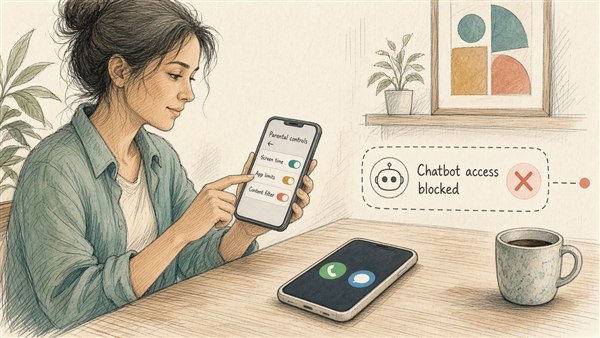
- Category block: AI Chatbots & Tools. Bark added a screen-time / filtering category so parents can block AI chatbots and tools as a group, and block specific apps and sites such as ChatGPT (and historically Google Bard / Gemini-class tools as the category evolved). That is a direct answer to “can my child outsource homework and writing to a bot without me knowing the door is open?”
- App and store gates. On Advanced plans, parents can require approval for each download, or block Google Play entirely. ChatGPT and peer apps never get on the phone unless you let them.
- Starter plan as the strongest AI off-switch. No browser and no app store means general-purpose AI chat apps are not part of the child’s day-to-day surface area until you upgrade and approve.
- Monitoring when AI is allowed. Bark has announced monitoring of ChatGPT text chats on Androids and the Bark Phone, so if a parent permits the app, the system can still flag concerning content rather than treating AI as an invisible tutor.
- Asymmetry worth noting: Bark Assistant puts AI in the parent’s hands to manage rules faster. Child-facing AI remains optional and blockable. That asymmetry is intentional product design, not an accident.
Configurability for AI is not a footnote. For cognitive development, it is half the product.
What Are the Implications and Benefits for Parents?
- A credible first phone. You can start with connection (call, text, location) without pretending a locked flip phone is the only ethical option — or pretending a full smartphone is “fine if we talk about it.”
- Rules that are harder to evade. The adoption story parents tell is less “we installed an app” and more “the device itself enforces the boundary.” That reduces the arms race many families lose by middle school.
- Operational relief — with a caution. Schedules, remote pause, app limits, and the Bark Assistant lower the coordination cost of parenting a phone. The caution: alerts and dashboards can become scorekeeping. A soft landing uses signals to start a conversation. A hard landing outsources judgment to the notification feed.
- Whole-family monitoring bundle. Plans that include Bark Premium for other devices recognize that the phone is not the only screen. The phone is the controlled beachhead; tablets and laptops still need a strategy.
The parent benefit is configurable independence — not a promise that technology replaces presence.
What Does This Mean for Children’s Cognitive Development?
No phone “builds a brain.” Environments shape attention, sleep, practice, and the habits of thinking. Bark’s relevance is how much of the open attention market you allow into a developing mind — and whether AI is allowed to short-circuit struggle.
- Attention and deep work. School and bedtime schedules, per-app limits, and a Starter plan with no infinite scroll protect the conditions for homework, boredom, and unstructured play — all of which matter for self-regulation. The feature only helps if parents actually use it.
- Social learning vs social media acceleration. Contact approval and delayed social access can keep early phone years closer to known relationships. That can support healthier social cognition than an unsupervised feed — again, configuration dependent.
- Struggle and AI. Cognitive growth often needs productive struggle: drafting, revising, getting stuck, asking a human. Unrestricted chatbot access can collapse that struggle into paste-ready answers. Category blocks and app approval give parents a way to keep AI off, limited, or monitored while skills form.
- Monitoring is not mentoring. Alerts about bullying, self-harm language, or predatory contact can surface risk earlier. They do not teach emotional regulation. Families that treat Bark as a conversation starter protect development better than families that treat it as a silent wiretap.
- Dignity and trust. Kids who feel only surveilled may route their real lives to friends’ unmanaged devices. The innovative use of Bark is staged trust: clear rules, visible reasons, and freedoms earned — not a permanent lockdown sold as care.
For developing minds, the innovative setting is often “not yet” — especially for open AI — until the child can explain how they will use the tool without skipping the learning.
Innovation or Not? The Verdict
Innovation: yes, as a human-centered first-phone system — tamper-resistant controls, staged Starter/Advanced freedom, monitoring, and explicit AI chatbot/tool controls that parents are actually adopting as an alternative to unmanaged smartphones.
Not innovation (by itself): the Pro’s faster chip, tougher glass, and waterproofing. Those are sensible product upgrades. They are not the reason this clears the innovation bar.
The soft-landing test for families: configure for sleep, school focus, known contacts, and deliberate AI policy; use alerts to talk; widen access as judgment grows. The hard-landing test: buy the Pro, leave Advanced wide open, and hope the dashboard parents for you.
Bark did not invent the smartphone. It reinvented the default for a child’s first one — and that default now includes whether AI gets a seat at the homework desk.
FAQ: Bark Phone — Innovation or Not?
Is the Bark Phone an innovation?
Yes, primarily as a product system: system-level parental controls, staged talk-and-text-to-fuller-access plans on one device, monitoring, and AI chatbot controls that parents adopt as an alternative to unmanaged smartphones. The underlying Samsung hardware alone is not the innovation.
What is the difference between Bark Phone and Bark Phone Pro?
Parental controls and monitoring are the same. The Pro is a tougher, faster Samsung-class device (more RAM, stronger water resistance and glass, faster charging). Choose Pro for durability and performance; choose the base Bark Phone if you want the same safety model at a lower device price.
Can parents block AI chatbots like ChatGPT on the Bark Phone?
Yes. Parents can block the AI Chatbots & Tools category and specific apps or sites, require approval before apps install, or keep a Starter plan with no browser or app store. If ChatGPT is allowed, Bark can also monitor ChatGPT text chats on the Bark Phone and Androids.
How does the Bark Phone affect kids’ cognitive development?
Indirectly, by shaping attention, sleep, social exposure, and whether AI can skip productive struggle. Schedules, limits, staged access, and AI blocks can protect conditions for learning when parents use them; monitoring alerts help most when they start human conversations rather than replace them.
Is the Bark Assistant available on the Bark Phone?
The Bark Assistant is an AI tool in the parent dashboard (across Bark products including the Bark Phone) that summarizes a child’s activity and can change settings from natural-language requests. It helps parents operate the controls; it is not a child-facing chatbot feature.
Image Credits: Cursor
Content Authenticity Statement: The topic area, key elements to focus on, etc. were decisions made by Braden Kelley, with a little help from Claude to clean up the article.
 Sign up here to get Human-Centered Change & Innovation Weekly delivered to your inbox every week.