by Braden Kelley and Art Inteligencia
Here’s a mental image I can’t shake. Somewhere right now, a very large, very expensive, very thirsty computer in a very large building is being asked to figure out whether a customer’s email is angry or merely brisk.
That’s the compute shortage in one sentence. We have built an astonishing capability, and then we’ve gotten into the habit of using it for everything, including the tasks a much smaller tool could handle without breaking a sweat.
So let’s ask the obvious question. If we stopped sending every request to the biggest brain in the cloud, could we ease the shortage? Does hybrid intelligence solve it? My honest answer is: it helps a great deal, it won’t solve it alone, and the most interesting part is what the fix might do to the software we use every day.
The shape of the shortage
First, the problem. The International Energy Agency reports that electricity demand from data centers rose 17% in 2025, far outpacing 3% growth in global power demand overall, and it expects data center consumption to roughly double by 2030, with AI-specific demand growing even faster. Gartner warned back in 2024 that power shortages could constrain 40% of existing AI data centers by 2027. And industry reports describe waits of two to six years or more in some regions to connect a new large facility to the grid. (Some of those figures come from industry sources and older forecasts, so treat the specifics as directional. The direction itself is not in dispute.)
Notice what that tells you. The bottleneck isn’t only chips. It’s electricity, transformers, cooling and the time it takes to build all of it. You can’t download a substation.
When supply can’t expand quickly, the remaining lever is demand. Which brings us to a very old idea wearing new clothes: don’t use more than you need.
Hybrid intelligence: the right brain for the job
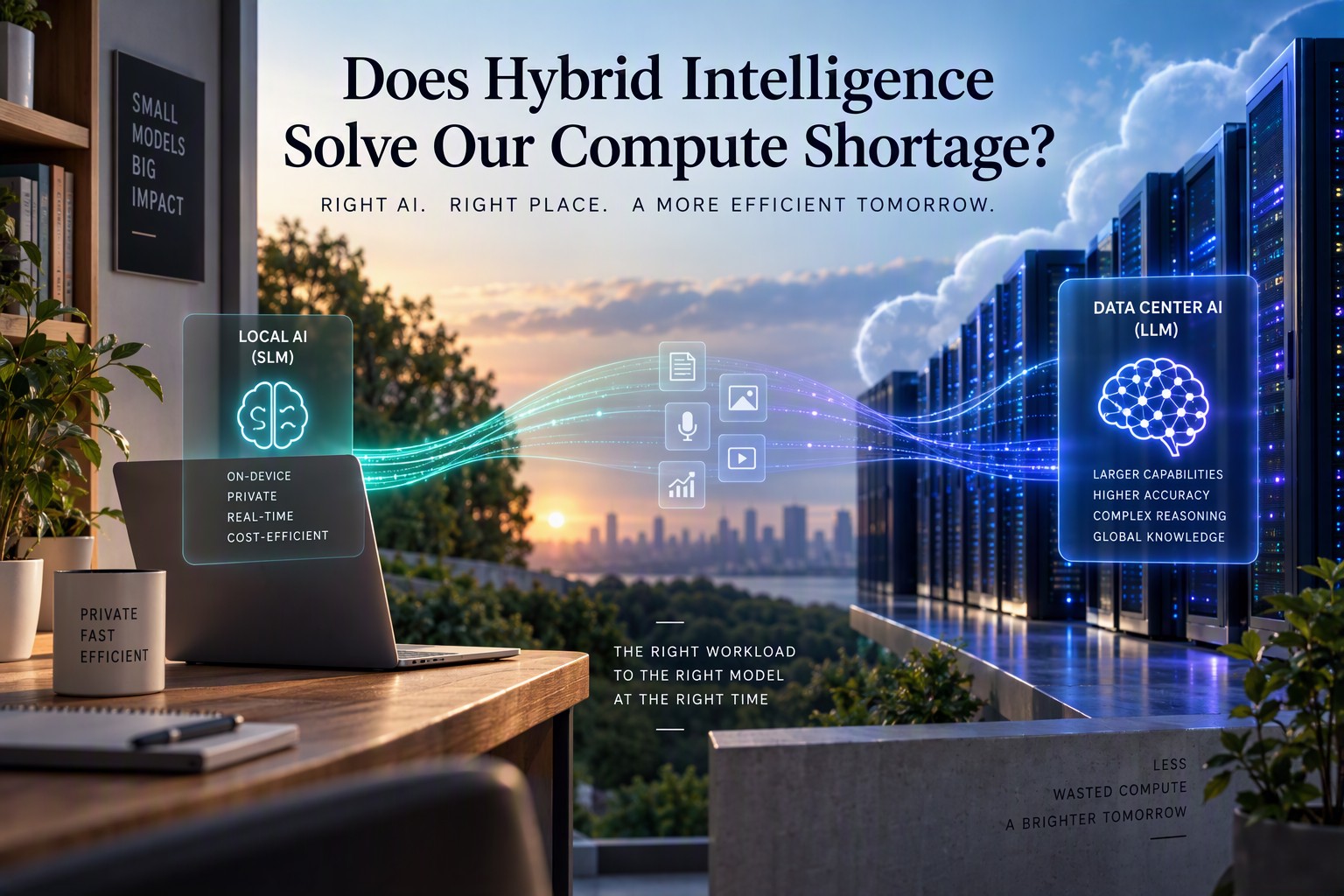
Hybrid intelligence is a simple idea. Run small language models (SLMs) on the device in your hand or on your desk for most everyday intelligence needs, and call on large models in the cloud only when a request truly needs the extra horsepower.
Think of it the way a hospital works. You don’t send every patient to the specialist surgeon. Most needs are handled by a nurse, a general practitioner, or a pharmacist, and the surgeon gets the cases that require one. The system works because someone, or something, decides where each case goes.
The pieces for this are arriving. Neural processing units are becoming standard in new phones and laptops. Operating systems are beginning to expose local models to developers, so a small team can use on-device intelligence without paying a per-request bill. Small open models are getting better at doing more with less, and with modern compression techniques, a capable model of several billion parameters can fit in a few gigabytes of memory. And the routing pattern already exists in the wild: Apple’s Private Cloud Compute, for instance, is built around handling what it can locally and sending only what it must to a larger remote model.
What would run locally? Summarizing a document, drafting a reply, sorting email, transcribing a call, classifying a support ticket, cleaning up an image, answering a question about the file you have open. What goes to the cloud? Long, complex reasoning, large-scale analysis, tasks that need broad world knowledge or the most capable model available.
If most requests are the first kind, and I suspect most are, the cloud’s workload shrinks by a lot. Every request that stays on your device is one fewer asking a data center for electricity.
Hybrid software: let each tool do what it’s good at
Here’s the companion idea, and I think it’s the underrated one. Hybrid intelligence is about where AI runs. Hybrid software is about when to use AI at all.
For decades, software has been written as explicit instructions: if this, then that. It’s predictable, fast, cheap and auditable. Language models are the opposite: flexible, adaptable and capable of handling the messy, ambiguous inputs that rigid code chokes on, but slower, costlier and occasionally creative in ways you’d rather they weren’t.
The wasteful approach is to use the flexible tool for everything. Asking a language model to add up a column of numbers is like hiring a poet to do your taxes: possible, expensive and slightly alarming. A better approach combines the two:
- Traditional code handles what’s well-defined: calculations, rules, validations, database lookups, anything where the answer should be the same every time.
- A small local model handles the fuzzy interpretation: understanding what the user meant, classifying, summarizing, extracting meaning from messy text.
- A large cloud model is called only when the task is complex enough to justify the cost.
The result is software that’s smarter, more capable and more adaptable without being bigger. It’s smarter where intelligence helps, lean where it doesn’t, and cheap enough to run that you can afford to give it to everyone. That last part matters, and I’ll come back to it.
Adaptive interfaces: software that gets out of your way
Now for the part I find most exciting, because it changes how software feels to use.
Look at the menus of any mature application. They’re cathedrals of features, built up over decades. Hundreds of commands, nested menus, toolbars within toolbars. Most users touch a tiny fraction of them. Some features, in any given person’s hands, are never used once. And yet they sit there, every day, making the useful ones harder to find.
We’ve lived with this because the alternatives were bad. Hiding features meant frustrating people who needed them. Showing everything meant overwhelming everyone else.
AI changes that tradeoff. With a local model that understands how you work, an application can learn which features you actually use, surface those, and quietly tuck the rest out of sight. And, here’s the key, still make everything reachable. Ask for the hidden feature in plain language (“make this table a chart,” “remove the background,” “merge these two documents”) and the software finds it, or does the job for you. The capability never left. It just stopped getting in the way.
What this means in practice:
- Simpler by default. A beginner sees an uncluttered tool. A power user sees their tools.
- Nothing is locked away. A rarely used feature appears the moment you need it.
- Interfaces that evolve. As your work changes, so does what the software puts in front of you.
- Less to learn. You don’t need to memorize where things live. You describe what you want.
And there’s a compute angle too. An interface that adapts using a small, local model, with no round trip to a data center, is exactly the kind of lightweight intelligence that hybrid design makes affordable. The thing that makes software easier to use also happens to be easy on the grid.
There’s a caution worth saying out loud, though. Adaptive interfaces must be predictable enough that people don’t feel the ground shifting under them, and they should always let users see and control what’s been hidden. A menu that rearranges itself without warning is a terrible experience. The goal is to simplify, not to surprise.
Other technologies that can ease the squeeze
Hybrid intelligence isn’t the only tool in the box. Several others work alongside it.
- Smaller, smarter models. Techniques like quantization (storing a model’s numbers with less precision) and distillation (teaching a small model to imitate a larger one) shrink the cost of running a model dramatically. Models that once needed a server rack increasingly fit on a laptop.
- Architectures that don’t use everything at once. Some model designs activate only the portions of a network relevant to a given request, rather than firing every parameter every time. Less computing per answer.
- Caching and reuse. If thousands of people ask nearly the same question, the system shouldn’t recompute the answer from scratch each time. Smart caching is a quiet and surprisingly large efficiency win.
- Specialized chips. Hardware designed specifically for AI workloads can do more work per watt than general-purpose processors. The efficiency per unit of electricity keeps improving.
- Better data center design. More efficient cooling, smarter power management and facilities built near abundant energy all reduce the electricity cost of each unit of computing.
- Flexible scheduling. Not every AI job is urgent. Training runs and batch processing can be timed to match when power is cheap and plentiful, easing peak demand on the grid.
- More power, built faster. Ultimately, supply matters too. New generation, grid upgrades and faster permitting are part of the answer, even if they take longer to arrive than software can.
None of these is a silver bullet. Together, they form something more like a portfolio.
The caveat I owe you: efficiency can backfire
Here’s the part that keeps me honest. When something gets dramatically cheaper to use, people tend to use a lot more of it. Economists have a name for it, the Jevons paradox, and it’s been observed with everything from coal to computing.
If hybrid intelligence makes AI cheap enough to put into every application, every device and every workflow, total demand could grow even as the cost of each task falls. I made a related argument recently about software itself: cheaper development means far more software gets built, not less. It’s the same pattern, and it cuts both ways. Efficiency is how we make wonderful things affordable, but it doesn’t automatically mean we use less in total.
So I wouldn’t promise that hybrid intelligence will shrink data center demand. I’d say it lets us do far more with whatever capacity we have, which is arguably the more useful outcome, and it buys time while supply catches up. Whether total consumption falls is a different question, and the honest answer is that we don’t know yet.
There are other limits too. Local models are less capable than the largest cloud models, so the routing has to be good. On-device AI uses battery, memory and heat. Different devices have different capabilities, which complicates life for developers. And keeping data on the device helps with privacy, but it doesn’t make an application automatically compliant.
What the future might hold
Let me make a few predictions, and mark them clearly as predictions.
- Intelligence becomes a utility you don’t notice. Today, using AI feels like an event: you open a chat window, you type, you wait. I suspect that within a few years, most of it will disappear into the background. Your software will quietly handle small intelligent tasks locally, the way it quietly handles spell checking now, and you’ll hardly think of it as AI.
- The cloud becomes the specialist. The big models won’t go away. They’ll become the surgeons, reserved for the hardest problems, which may make them more valuable, not less.
- Software gets smaller and smarter at the same time. The old trend was that capability meant bloat. Hybrid design offers a different path: applications that are lean at rest, capable on demand and shaped around each user.
- Compute becomes a design constraint, not an afterthought. Product teams will start asking, “where should this intelligence run?” alongside “what should it do?” That discipline, designing for efficiency from the start, may turn out to be one of the more important skills of the next decade.
- The real shortage may be imagination. If we get better at doing more with less, the question shifts from “do we have enough compute?” to “what do we want to build with it?” I’d rather be wrestling with that one.
So, does it solve it?
Not alone. The shortage is a physical problem of power, hardware and time, and no software trick makes a transformer appear. But hybrid intelligence and hybrid software attack it from the other side, by making sure the biggest resources are used only when they’re needed, and by building software that’s capable without being bloated.
That’s the kind of solution I like best: not bigger, just smarter about where the work happens. And the next time a very large computer is asked whether an email is angry or merely brisk, I’d like a small, quiet model on a laptop somewhere to say, “I’ve got this one.”
Planning for the Future
If your team hasn’t yet pulled together the signals behind your current view of the future, the free FutureHacking Signal Picker helps you identify and prioritize the signals worth watching, which gives you the evidence to point to when the board asks where your view of the future comes from.
I’m also finishing the FutureCanvas Picker, which takes planners through the whole arc, from signals to trends to possible futures to your most probable future and the path toward the one you’d prefer. I’m opening early access to a select group first: Chief Strategy Officers, strategic planners and leaders preparing for planning cycles and board conversations right now, who can tell me honestly what works under real deadline pressure. If that’s you, reach out and let me know and I’ll follow up personally with the select few who get in first.
Frequently Asked Questions
What is hybrid intelligence?
Hybrid intelligence is an approach to AI in which small language models run locally on a device for most everyday tasks, and large cloud-based models are used only for complex requests that need more power. Because most requests stay on the device, less work lands on data centers.
Does hybrid intelligence solve the AI compute shortage?
It helps, but it can’t solve the shortage alone. Hybrid intelligence reduces how much demand reaches data centers, which buys time while power and hardware supply catch up. But the shortage is also a physical problem of electricity, equipment and construction time, and cheaper AI can lead people to use more of it, so total demand may not fall.
What is hybrid software?
Hybrid software combines traditional programming with AI. Standard code handles tasks that should give the same answer every time, such as calculations and rules. A small local model handles fuzzy interpretation, such as understanding what a user meant. A large cloud model is called only when a task is complex enough to justify it. The result is software that is smarter and more adaptable without being bigger.
Sources
- Investment Monitor: IEA warns AI could double data centre power use by 2030
- Inflect: Data Center Power Shortage 2026
- On-Device AI News, October 2026
Image Credits: m365 CoPilot
Content Authenticity Statement: The topic area, key elements to focus on, etc. were decisions made by Braden Kelley, with a little help from Claude to clean up the article.
 Sign up here to get Human-Centered Change & Innovation Weekly delivered to your inbox every week.